Intervention
All the information you need
for an effective intervention
Quickly alerting responders with a fast alerting system is not enough. You need more: giving everyone all the information required to reach the emergency site as quickly as possible, with every detail needed to organize operations effectively.
The Intervention module in our personnel and call management platform does exactly that, providing emergency teams with an up-to-date map featuring critical points, evacuation plans, and floor plans to optimize response activities.
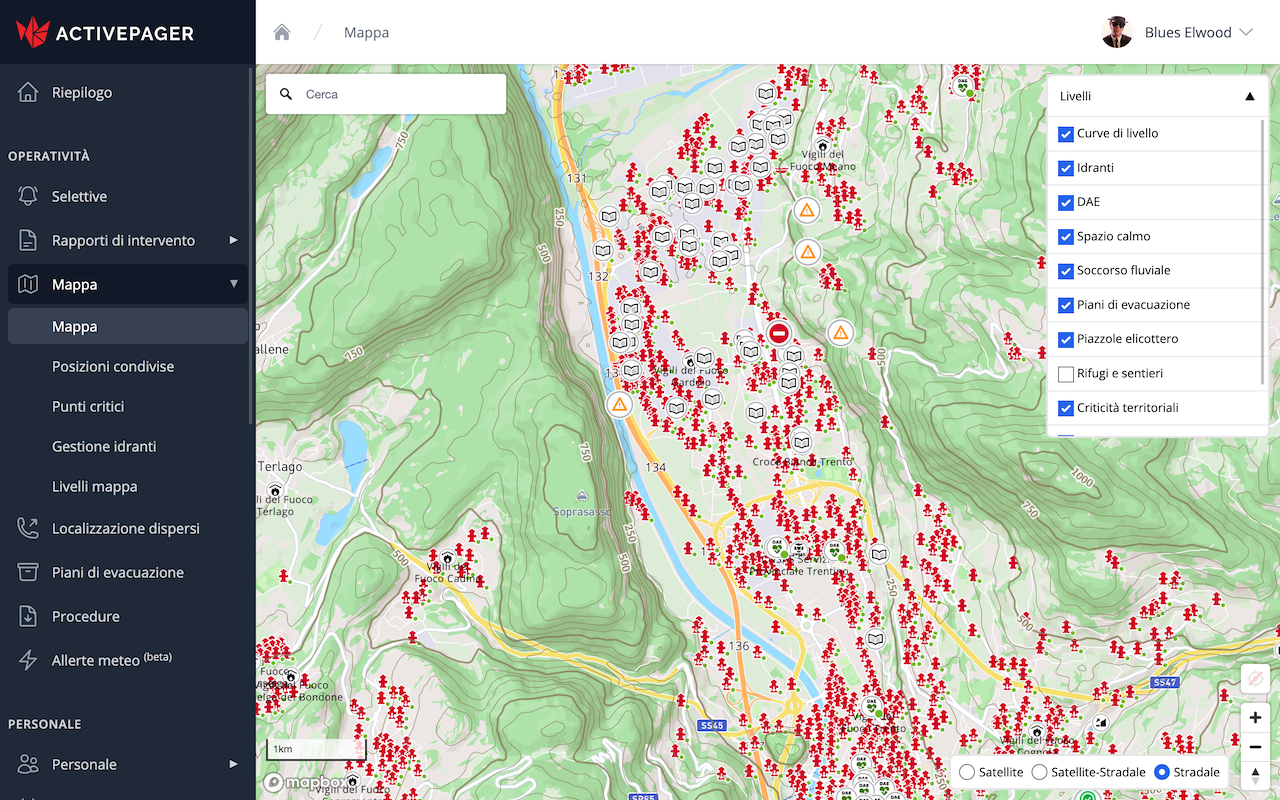
The Map
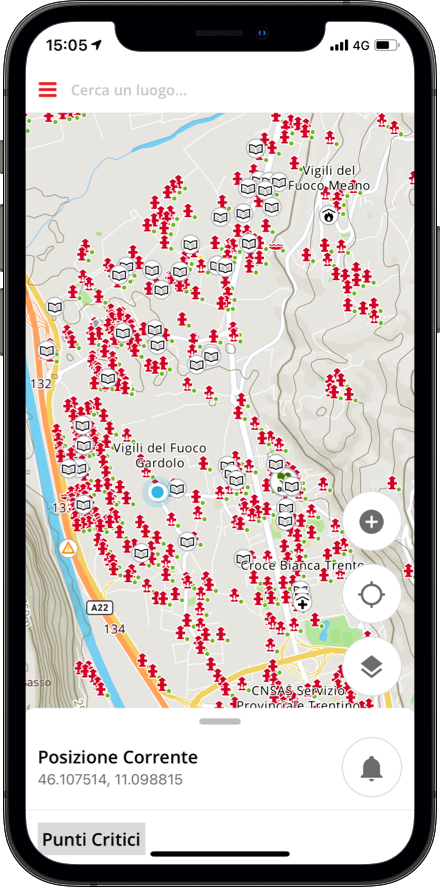
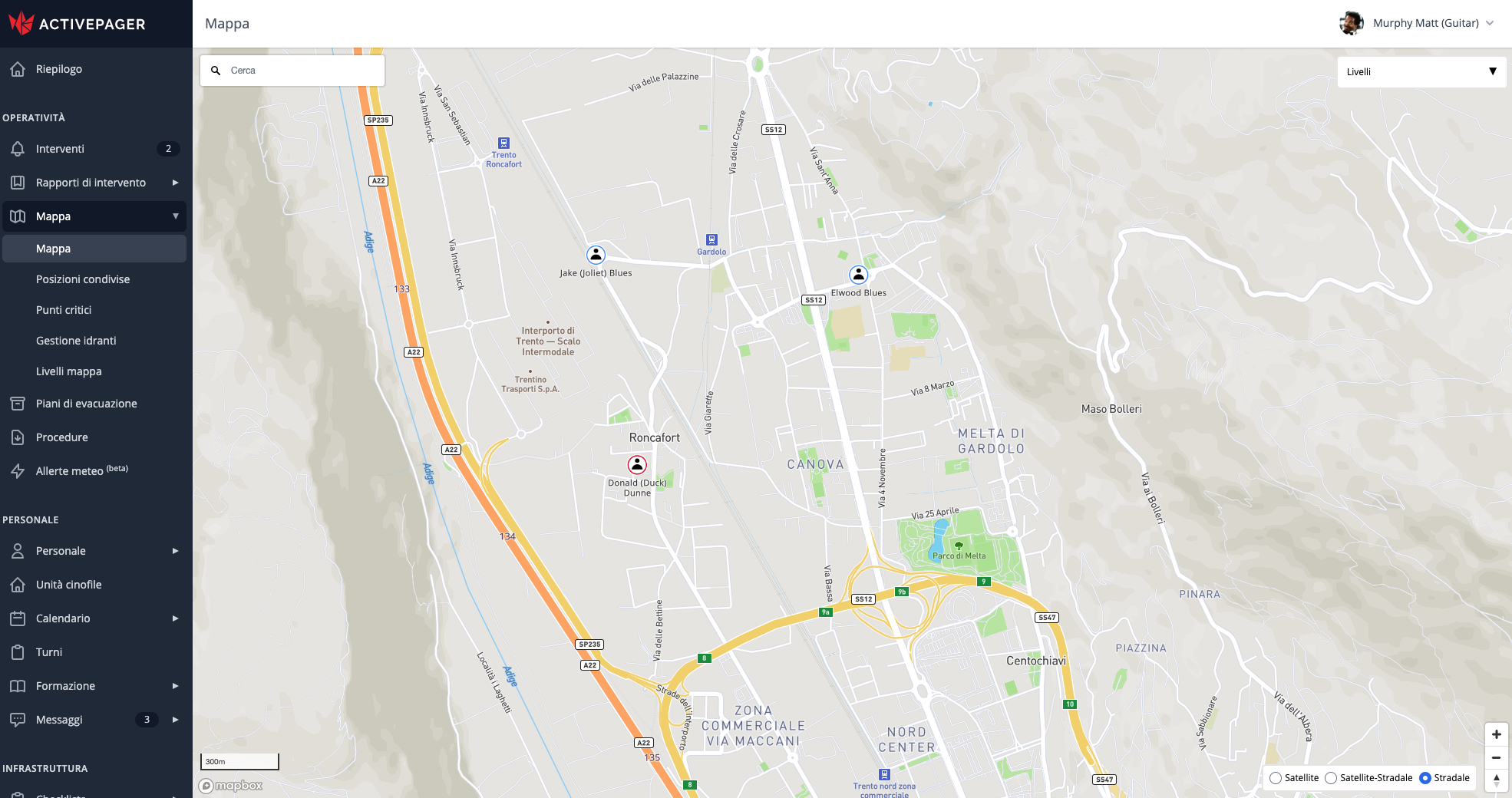
The main tool of the Intervention module is ActivePager's interactive map. It is constantly updated and enriched with all the data responders need during an intervention: contour lines, hydrant locations, helicopter landing zones, highway markers, critical route points, and much more.
The key information shown on the map is selected to provide the right support for firefighters, mountain rescue, civil protection, and emergency medical interventions.
When ActivePager is connected to a compatible digital radio system, the map displays the position of all connected radios, vehicles, and operators.
Personnel Tracking
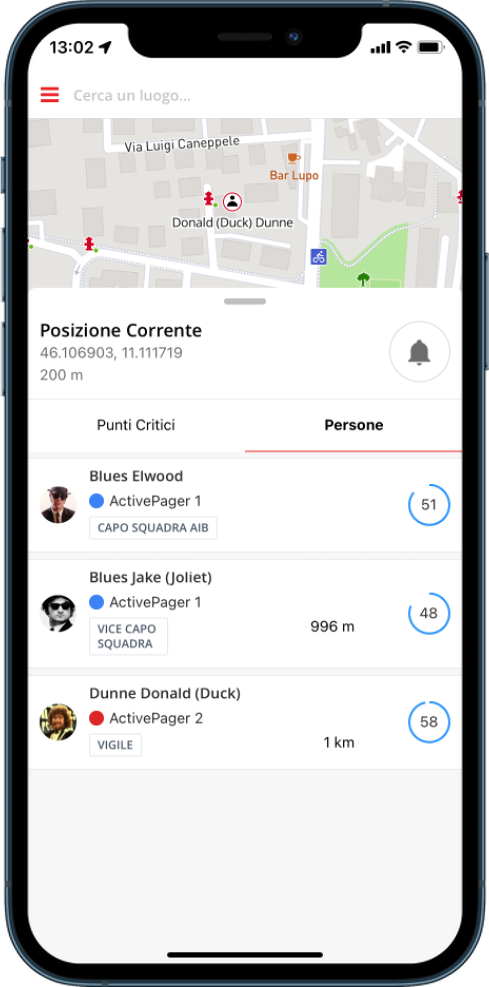
Using the smartphone app, responders can enable location tracking and share it within their organization
or across the whole system to improve inter-agency collaboration.
Concerned about privacy? No problem. As always, the user stays in control and can start or stop location
sharing at any time.
Thanks to ActivePager integrations, you can track both smartphones and radios when their management software allows it. All information is brought together in one place, right where it matters most: in the palm of your hand.
Wildfires
Missing person searches
Complex interventions
Multiple interventions
Critical Points
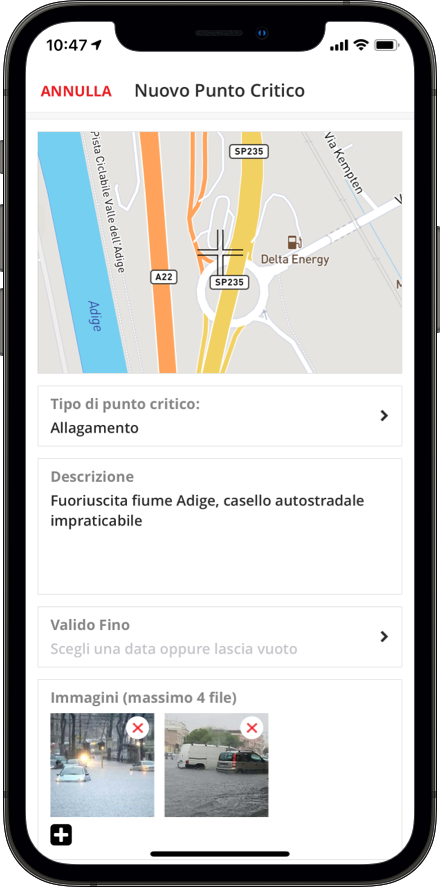
The effectiveness of an intervention can be compromised by unexpected issues that may slow down or even prevent rescue efforts. For this reason, ActivePager's map allows responders to upload and place critical points found both along the approach route and at the intervention site.
Reporting a critical point with ActivePager is quick and simple: take a photo, choose the issue type, and place it on the map through georeferencing. Rescue teams and the control room can then immediately see any critical issues on the map.
Road closed
Fire
Flooding
Hydrogeological instability
Structural instability
Landslide
Avalanche
Generic critical point
Floor Plans and Evacuation Plans
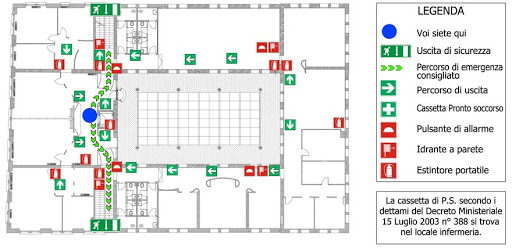
When an intervention takes place inside a building, a simple map is not enough for safe and efficient rescue operations. ActivePager provides access to available evacuation plans and floor plans, both for the control room and for individual responders through the dedicated app.
Viewing maps, floor plans, and evacuation plans on a smartphone is fast and intuitive, helping rescue teams as much as possible in delicate operations.
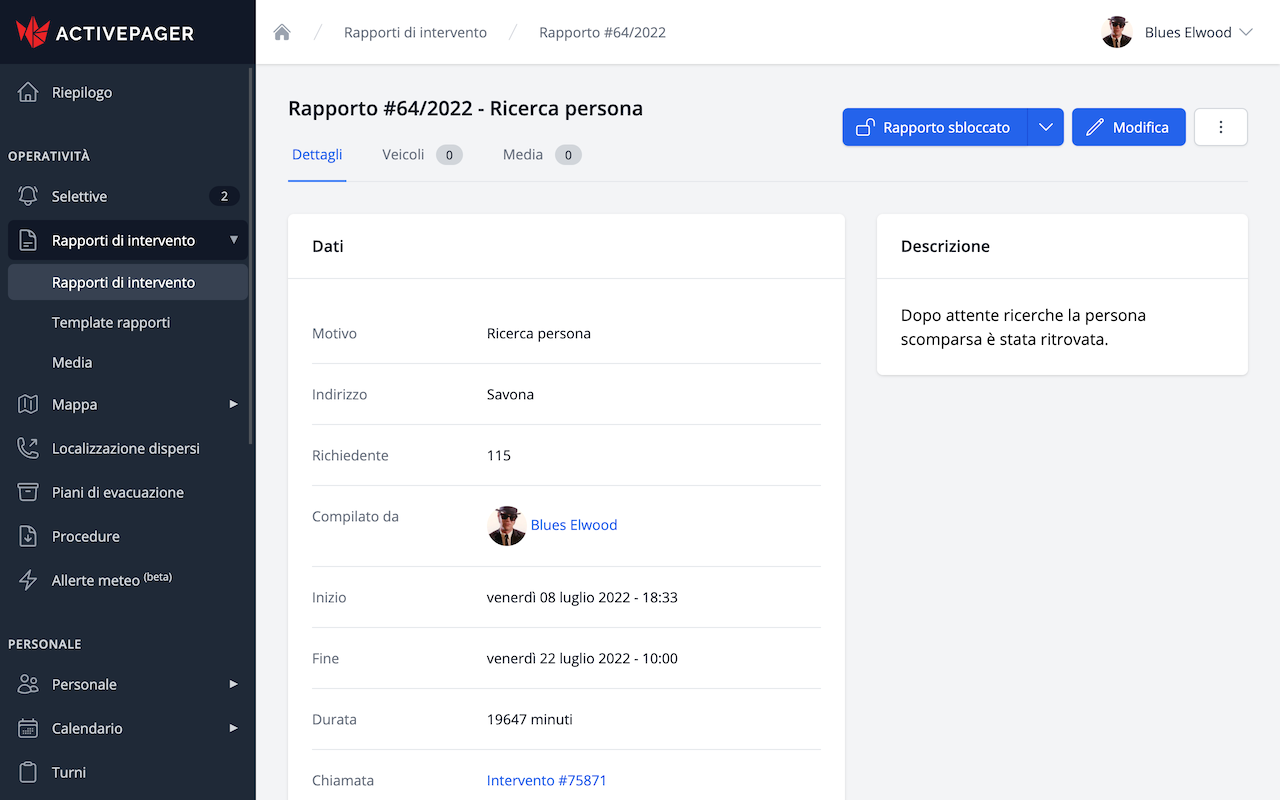
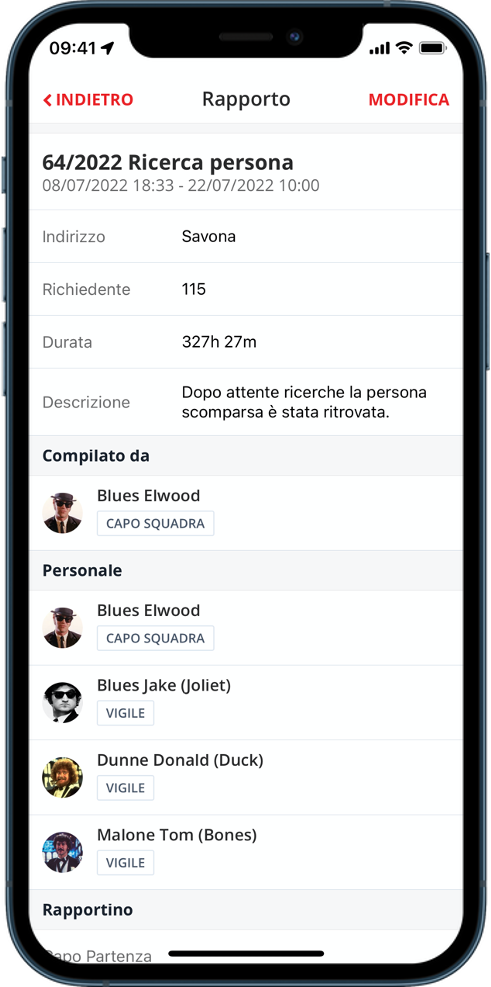
Intervention Reports
ActivePager automatically generates an intervention report based on data collected in previous phases, such as location, time, reason for intervention, and names of responders involved.
This valuable feature allows the supervisor to quickly complete the report by adding a detailed description and attaching files or photos.
No time to open a browser on your computer? No problem. Intervention reports can be managed directly from our app, so you can complete them whenever you have time.
Intervention times
Responders involved
Vehicles involved
Custom fields
Attachments
Notes